
The Hono CobraNet Custom/ASI2416 is a CobraNet® audio interface in a 1U rack mount format providing up to 16 channels of 48kHz CobraNet receive and transmit.
The units can be customized with up to four function specific modules as well as interchangeable connectors for the modules. Module connector options are terminal block, StudioHub+®, 50pin Centronics connector to XLR breakout cables, and 1/4" TRS.
The Hono™ CobraNet Custom/ASI2416 features a powerful Texas Instruments 32bit floating point DSP that allows sophisticated switching/mixing. A graphics display on the unit's front panel shows peak meters and CobraNet status.
ASIControl can be used to set up all internal features of the unit and allows CobraNet routing connections to be set up between the Hono™ Series units and any other CobraNet device on the network. ASIControl is part of the Windows driver install. Cirrus Logic's CobraNet Discovery can also be used for routing connections.
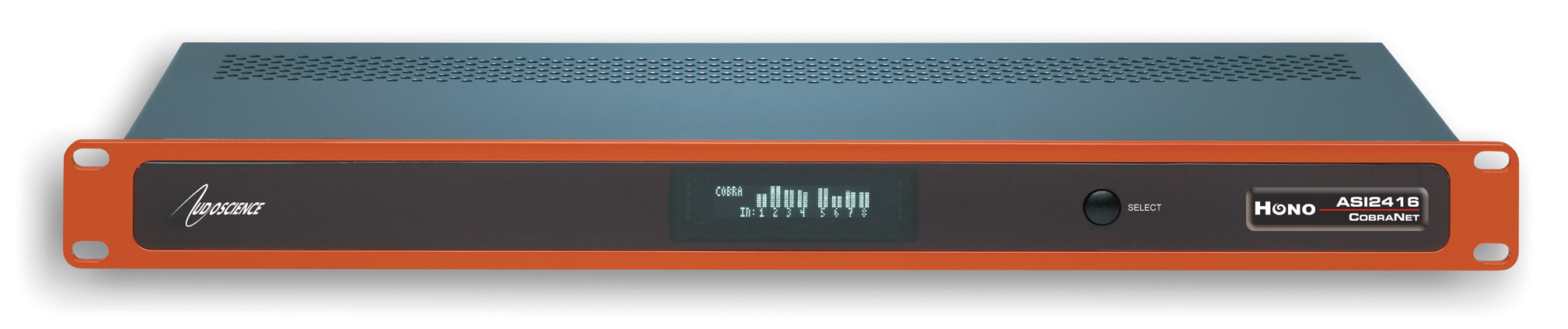
- Up to 16 CobraNet input channels and 16 output channels at 48kHz on 100Mbit Ethernet with redundant RJ-45 connectors
- 4 CobraNet Transmitters and 8 CobraNet Receivers
- Modular architecture allows up to 4 I/O modules to be inserted into the back of the unit
- Available modules include eight channel analog I/O, eight channel AES/EBU I/O, eight channel microphone preamp and 16x16 GPIO
- Powerful floating point DSP provides metering, level control, and up to 20 dB gain on all signal paths
- Interoperable with AudioScience CobraNet Sound Cards and other 3rd party CobraNet equipment
- Built-in 90-260VAC power supply
- 1U rack-mount unit
- Programmable delay on all audio outputs
- Module connector options include Terminal Block (Phoenix style), StudioHub+ RJ-45, 50pin Centronics connector (compatible with AudioScience sound cards), and 1/4" TRS
- Fully programmable with ASIControl including bundle creation and routing
- LUA scripting extensions for powerful control programming


| Documentation | Date |
|---|---|
| Hono CobraNet Custom/ASI2416 datasheet | 05-07-15 |
| Hono CobraNet Custom/ASI2416 quickstart guide | 05-16-12 |
| Hono CobraNet Custom/ASI2416 press release | 04-12-05 |
| LUA scripting datasheet | 01-11-17 |
| Modules | Type | In Channels | Out Channels | Input Type | Output Type |
|---|---|---|---|---|---|
| ASI1431 | Analog | 8 | 8 | Balanced | Balanced |
| ASI1432 | Analog | 8 | 0 | Balanced | None |
| ASI1433 | Analog | 0 | 8 | None | Balanced |
| ASI1441 | Digital | 4 stereo (8 total) | 4 stereo (8 total) | AES/EBU | AES/EBU |
| ASI1442 | Digital | 4 stereo (8 total) | 0 | AES/EBU | None |
| ASI1443 | Digital | 0 | 4 stereo (8 total) | None | AES/EBU |
| ASI1451 | GPIO | 16 | 16 | Opto | Relay |
| ASI1462 | Analog | 8 | 0 | Balanced Analog Mic/Line | None |
| ASI1464 | Analog | 8 | 0 | Un-balanced Analog Mic/Line | None |
To create the specific part number of a Hono CobraNet Custom/ASI2416 combination you're interested in, review the module datasheets in the table above, then use the dropdown arrows in Model Number Calculator form below to make your selections starting with Slot 1 (you can not have empty slots between modules). Be sure to select a connector for each module and then click on the Calculate Model Number button when you are done. A box will pop up with the complete part number. Use that part number to order from our Distributors and VARs or contact our sales team for additional information.